When it comes time to move your Netezza environment to a new platform, IBM’s nz_migrate command may seem like the obvious choice. After all, it’s built into Netezza and designed to move data between systems.
But here’s the reality: while nz_migrate handles tables and schemas, it doesn’t handle the complexity of a live production environment — and it guarantees downtime for your business.
If your goal is a seamless, zero-downtime migration, Smart Database Replication is the only practical solution.
The Problem with nz_migrate
The nz_migrate command was built for static, one-off data transfers — not modern, always-on environments. Using it for a production migration introduces major challenges:
❌ Guaranteed Downtime
nz_migrate performs a full data copy that can only run while users are offline. Any activity on the source system during migration risks data inconsistency. The process requires:
- An outage window to perform the migration
- Multiple passes to capture “differential” changes
- Manual reconciliation before users can return
In short: you can’t avoid downtime.
❌ Manual Rebuilds
nz_migrate only moves tables and data. It doesn’t migrate:
- Stored procedures
- Cross-database dependencies
- User permissions and other programmable objects
That means your teams must manually extract, review, and recreate every stored procedure and dependency on the target system. This adds risk, time, and cost — and introduces countless opportunities for post-migration issues.
❌ Complex, Costly Planning
Every nz_migrate project involves:
- Trial runs to estimate outage duration
- Manual dependency tracking
- Repeated testing and cutovers
The result? High operational costs and a lengthy, disruptive process that puts business continuity at risk.
The Smart Solution: Smart Database Replication
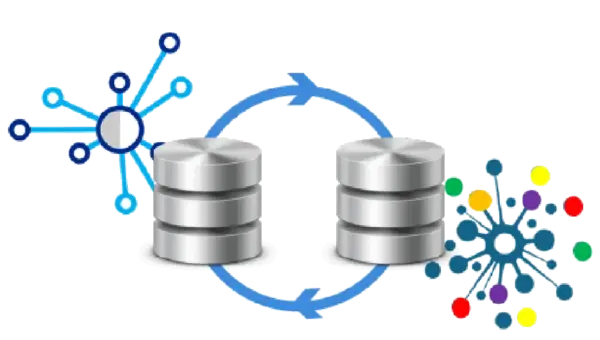
Smart Database Replication eliminates every one of these problems. Instead of stopping the business to perform a bulk transfer, replication keeps your source and target systems perfectly synchronized — in near real time — while your users continue working. Once the target is fully in sync, you simply switch over to it with a single DNS change.
✅ Zero Downtime
The business stays online throughout.
Users continue working on the source system right up to the final cutover — no outages, no disruption, no risk.
✅ Everything Migrates
Stored procedures, views, and cross-database dependencies are automatically replicated along with the data. There’s no manual rework, no missed objects, and no surprises on cutover day.
✅ Simpler, Safer, Smarter
Smart Database Replication turns a complex, multi-stage process into a simple one-step switchover.
No repeated test runs, no manual intervention, and no scrambling during a critical migration window.
Side-by-Side Comparison
| Feature | nz_migrate | Smart Database Replication |
| Downtime | Required (planned outage) | None (live, seamless cutover) |
| Stored Procedures | Must be recreated manually | Automatically replicated |
| Cross-DB Dependencies | Must be rebuilt | Automatically transferred |
| Migration Planning | Complex and time-consuming | Simple and predictable |
| Risk | High – manual steps and outages | Minimal – fully automated sync |
| Business Impact | Service disruption and downtime | Continuous availability |
The Bottom Line
The nz_migrate command might have been acceptable a decade ago, when downtime was expected.
Today, businesses demand continuous availability — and Smart Database Replication delivers it.
By replicating your entire Netezza environment in real time, Smart Database Replication gives you:
- Zero downtime migrations
- Automatic synchronization of all database objects
- Faster, safer cutovers
- Significant cost savings through reduced planning and testing
Don’t risk your business on outdated migration methods. Switch to Smart Database Replication — the modern, no-downtime way to move Netezza systems.
For more information, why not contact us.